FilmCraft Proxy Workflow: Edit Large Footage with Lighter Copies
Create or attach proxies, switch playback to lighter media, and reconnect full-resolution originals before reviewing the final export.
Filmcraft · Updated
Loading guide…
A proxy is a smaller editing copy linked to an original clip. It lets you reduce the media decoding burden while retaining the original for finishing. It is not a backup and does not replace the camera file. This workflow follows FilmCraft v0.20.1's desktop project-file documentation; check browser restrictions separately if you are using the web build.
Proxies are worth trying when high-resolution or heavily compressed footage makes playback difficult. They cannot fix every source of a slow timeline: complicated effects, storage problems, and missing media require their own diagnosis. Compare the same section with proxies enabled and disabled before deciding whether they solve your particular problem.
Organize originals before creating proxies
Copy the original files to a stable location and keep a backup. Import those originals into FilmCraft, then save the project. Avoid renaming or moving the source folders midway through proxy creation, because the project needs reliable paths to both versions.
Choose a proxy destination with enough free space. FilmCraft's documented default puts proxies in a Proxies folder beside the source media; a chosen location can be preferable when the originals are on read-only storage. Use a folder structure that clearly distinguishes camera originals, proxies, exports, and project files.
2. Create or attach the editing copies
Select the source clips in the Project panel.
Open Clip → Proxy → Create Proxies….
Choose a proxy preset and destination. FilmCraft documents ProRes Proxy/LT and H.264 options; select a lower-resolution editing copy suited to your available space and decoding support.
Let the background job finish. Check its result before assuming every selected clip received a proxy.
If proxies already exist, use Attach Proxies… instead of importing them as unrelated clips.
An attached proxy must correspond to the same source, including its frame rate and duration within the documented tolerance. A vaguely similar filename is not enough. A proxy made from the wrong take, a trimmed transcode, or a different time base can show the wrong image at an edit point.
Keep the original clip as the project item. The proxy is an attached playback
source, not a replacement edit.
3. Toggle playback and inspect alignment
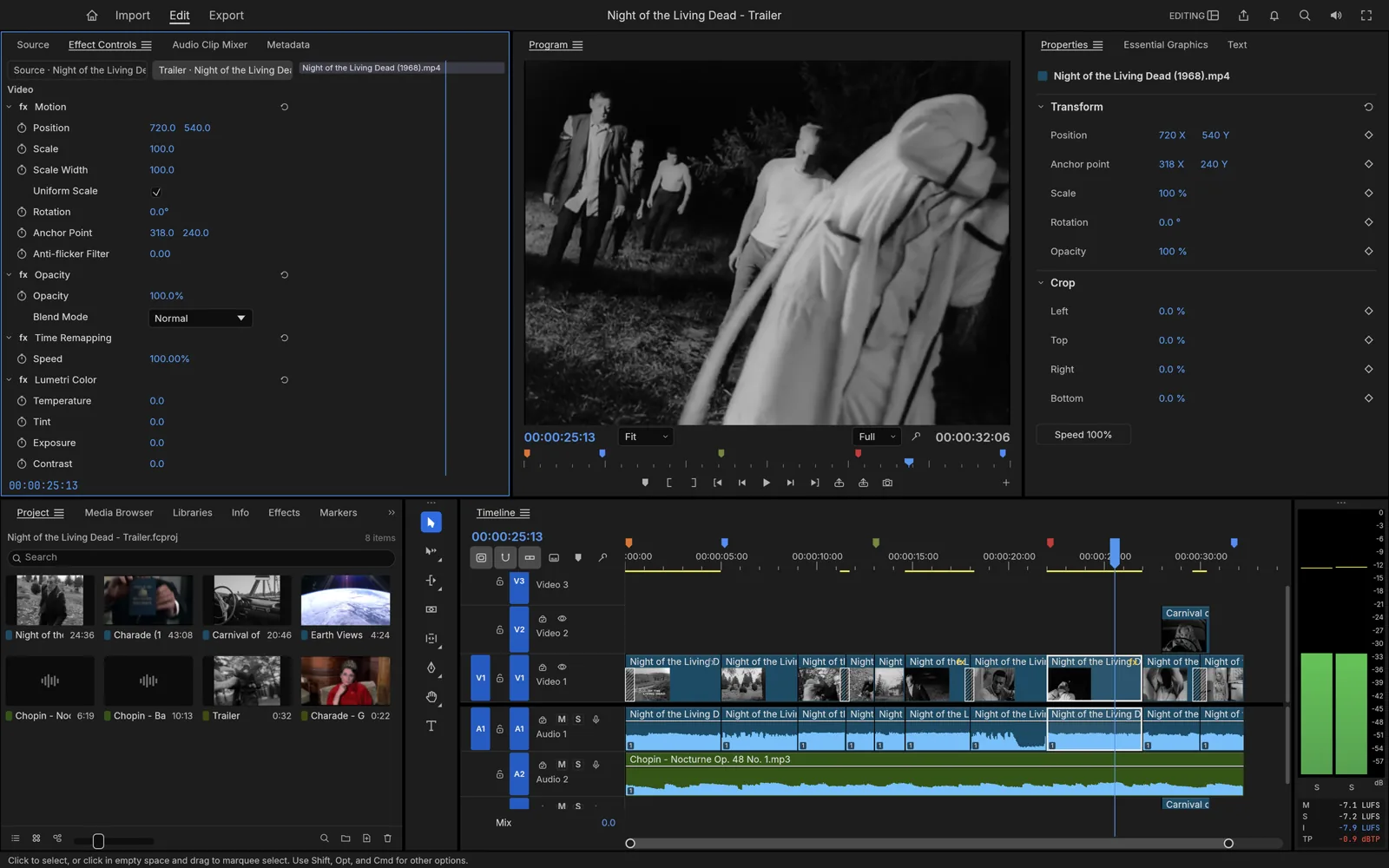
Use View → Toggle Proxies, or the monitor proxy control. FilmCraft documents proxy use for monitors, thumbnails, and playback when enabled. Check a recognizable moment near the beginning and end of the source, then compare those moments with proxies off. Dialogue sync and a visible slate or hand movement are useful references.
Continue editing the same timeline clips. Do not rebuild the sequence using separately imported proxy files; that would make the proxy media the sequence's source and complicate finishing. If a clip looks wrong only when proxies are enabled, detach or correct that proxy association before making more trims.
Reconnect originals and inspect the final output
FilmCraft's documented export path uses full-resolution media, regardless of the playback proxy toggle. That makes access to the originals essential. Before a final render, reconnect any missing full-resolution files through Reconnect Full Resolution Media and review the offline media repair steps if needed.
Turn proxies off for a finishing review so you can inspect source detail, focus, and effects against the originals. Export a representative section using your intended export settings. Open the result in a separate player and confirm the footage, crop, audio, and quality.
Keep proxies while the project is active if you will continue editing. When archiving, preserve the project and originals first; proxies can be regenerated, but an edit cannot recover a deleted camera file. If handing the project to another machine, document both media locations and test the project after reconnecting there.