Comparison · Updated October 2026
FilmCraft vs Premiere Pro
Same familiar workflow. Very different price, philosophy and maturity. Here is what actually differs.
Side by side
- Price
FilmCraft
Free forever
Adobe Premiere Pro
From US$22.99/mo (annual plan, first year)
- License
FilmCraft
Open source (MIT / Apache-2.0)
Adobe Premiere Pro
Proprietary subscription
- Desktop platforms
FilmCraft
macOS, Windows, Linux, FreeBSD
Adobe Premiere Pro
macOS, Windows
- Runs in a browser
FilmCraft
Yes (WebAssembly)
Adobe Premiere Pro
No
- Mobile app
FilmCraft
No
Adobe Premiere Pro
iPhone and Android
- Trial
FilmCraft
Not needed
Adobe Premiere Pro
7-day free trial
- Core editing
FilmCraft
Three-point editing, all trim modes, J-K-L
Adobe Premiere Pro
Industry-standard editing toolset
- Color
FilmCraft
Curves, wheels, HSL, LUTs, HDR/log, scopes
Adobe Premiere Pro
Lumetri Color, Color Mode (beta)
- AI features
FilmCraft
Few so far (optional speech-to-text); scriptable via CLI / MCP
Adobe Premiere Pro
Generative Extend, Object Mask, text-based editing, Enhance Speech
- Codecs
FilmCraft
Native H.264, HEVC, ProRes, VP9, AV1, AAC, Opus
Adobe Premiere Pro
Broad format support incl. camera RAW
- Project interchange
FilmCraft
FCP 7 XML, FCPXML, OTIO, EDL, AAF, OMF
Adobe Premiere Pro
XML, AAF, EDL, OMF; native .prproj
- Plugins & ecosystem
FilmCraft
No plugin hosting yet
Adobe Premiere Pro
Huge plugin, template and stock ecosystem
- Maturity
FilmCraft
Alpha (~56% production-ready, self-reported)
Adobe Premiere Pro
Industry standard since 2003
| Feature | FilmCraft | Adobe Premiere Pro |
|---|---|---|
| Price | Free forever | From US$22.99/mo (annual plan, first year) |
| License | Open source (MIT / Apache-2.0) | Proprietary subscription |
| Desktop platforms | macOS, Windows, Linux, FreeBSD | macOS, Windows |
| Runs in a browser | Yes (WebAssembly) | No |
| Mobile app | No | iPhone and Android |
| Trial | Not needed | 7-day free trial |
| Core editing | Three-point editing, all trim modes, J-K-L | Industry-standard editing toolset |
| Color | Curves, wheels, HSL, LUTs, HDR/log, scopes | Lumetri Color, Color Mode (beta) |
| AI features | Few so far (optional speech-to-text); scriptable via CLI / MCP | Generative Extend, Object Mask, text-based editing, Enhance Speech |
| Codecs | Native H.264, HEVC, ProRes, VP9, AV1, AAC, Opus | Broad format support incl. camera RAW |
| Project interchange | FCP 7 XML, FCPXML, OTIO, EDL, AAF, OMF | XML, AAF, EDL, OMF; native .prproj |
| Plugins & ecosystem | No plugin hosting yet | Huge plugin, template and stock ecosystem |
| Maturity | Alpha (~56% production-ready, self-reported) | Industry standard since 2003 |
Premiere Pro pricing from adobe.com (US) as of October 2026; FilmCraft data from v0.12.0.
Where FilmCraft wins
- Free forever. No subscription that adds up to hundreds of dollars a year.
- Open source: inspect, modify and self-host the code under MIT / Apache-2.0.
- Runs on Linux, FreeBSD and in the browser, not just macOS and Windows.
- No account, no cloud sign-in, no forced updates.
- Every action is a command. Drive it from the CLI, a JSON channel or an MCP server for automation and AI agents.
- Wide interchange: FCPXML, OpenTimelineIO, EDL, AAF and OMF.
Where Premiere Pro wins
- Proven at scale: two decades of features and production-grade stability.
- AI tools such as Generative Extend, Object Mask, text-based editing and Enhance Speech.
- Deep Creative Cloud integration with After Effects, Audition and Frame.io.
- Huge ecosystem of plugins, templates and tutorials.
- Mobile apps for iPhone and Android, and captions translated into 18 languages.
- Opens native .prproj projects shared by clients and teams.
Who should choose which?
Choose FilmCraft if you…
- are a student, hobbyist or YouTuber who wants pro tools without a subscription
- edit on Linux or want an editor you can run in a browser
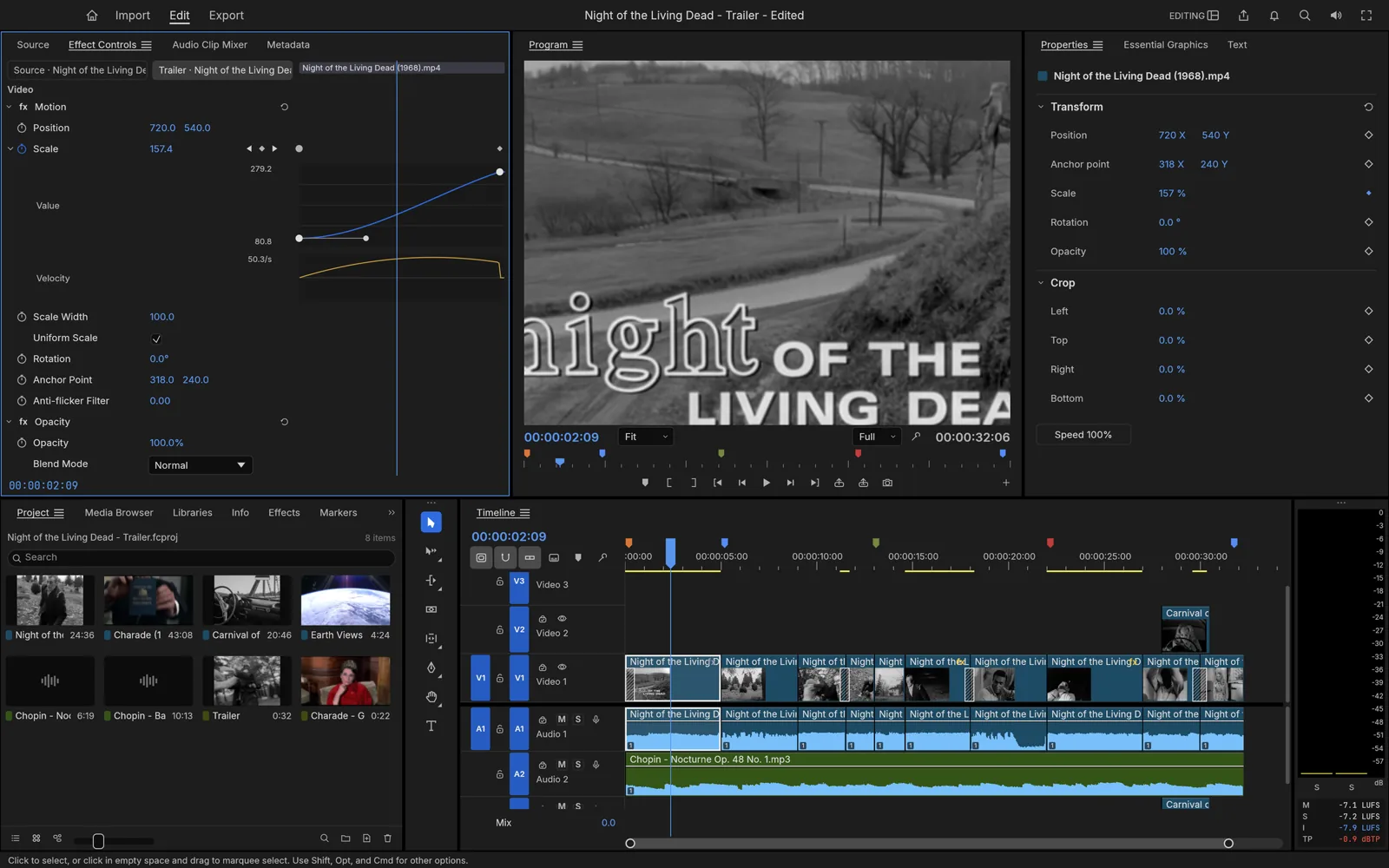
- already know Premiere and want the same muscle memory for free
- want to automate or script your edits
Stay with Premiere Pro if you…
- deliver client work on deadlines where stability is non-negotiable
- rely on AI features, third-party plugins or After Effects round-trips
- collaborate with teams that exchange .prproj files
- need to edit on a phone or tablet
Switching from Premiere Pro
- 01
In Premiere, export your sequence via File → Export → Final Cut Pro XML (or AAF / EDL).
- 02
Keep your media in the same folders so FilmCraft can relink it.
- 03
Import the XML into FilmCraft and check effects, titles and speed changes.
- 04
Your Premiere editing shortcuts mostly work the same way. Remap the rest in the shortcut editor.
The verdict
Consider FilmCraft for learning, personal projects and exploring an open-source workflow. Premiere Pro may be a better fit when you depend on established plugins, team workflows or existing Adobe projects. Test your own footage and delivery requirements before switching.
Ready for your first FilmCraft edit?
Download the FilmCraft video editor for free, try it online or follow the beginner tutorial.