A free, open-source Premiere Pro alternative
Download the FilmCraft video editor, learn the basics, start editing.
Free and open source from ArtCraft. Install it on Mac, Windows or Linux, run it in your browser, and see how it compares with Adobe Premiere Pro.
What is the FilmCraft video editor?
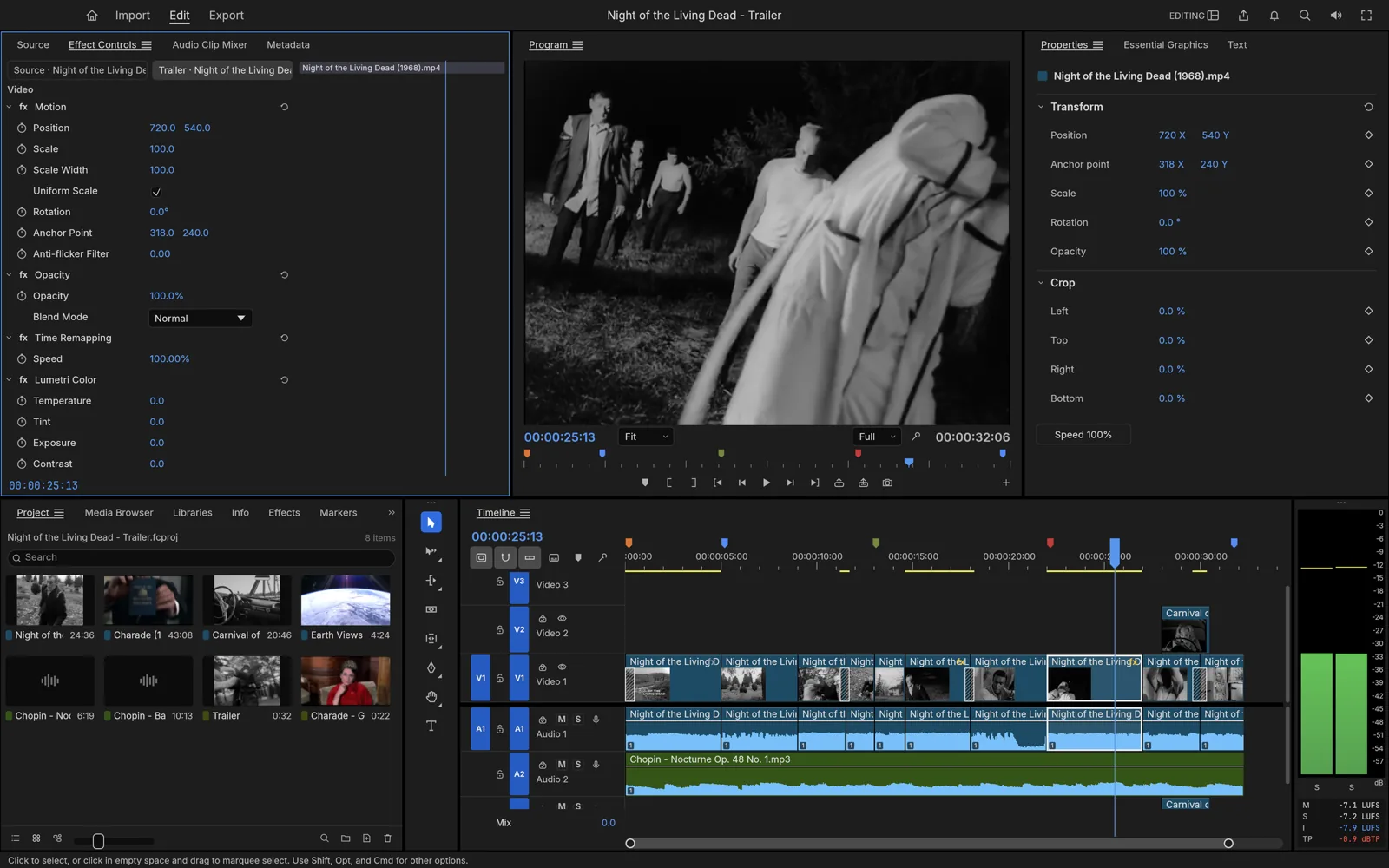
The FilmCraft video editor is a free, open-source non-linear editor built by the ArtCraft team. It is written in Rust, runs natively on macOS, Windows and Linux, and also compiles to WebAssembly so it can run inside a browser tab.
If you have edited in Adobe Premiere Pro, the FilmCraft video editor will feel familiar within minutes. Bins sit in the Project panel, clips load into a Source monitor, your sequence plays in the Program monitor, and the timeline supports three-point editing with ripple, roll, slip and slide trims. The keyboard follows the same conventions: comma inserts, period overwrites, and J, K and L shuttle through footage.
FilmCraft is not a copy of Premiere. It is a clean-room implementation built from public specifications, with its own native decoders for H.264, HEVC, ProRes, VP9, AV1, AAC and Opus. There is no FFmpeg dependency, and time is stored as integers, so 23.976 and 29.97 drop-frame timelines stay frame-accurate.
- Developer
- ArtCraft
- License
- MIT / Apache-2.0
- Latest version
- 0.12.0
- Platforms
- macOS, Windows, Linux, FreeBSD, Web
- Written in
- Rust
- Price
- Free
What the FilmCraft video editor can do
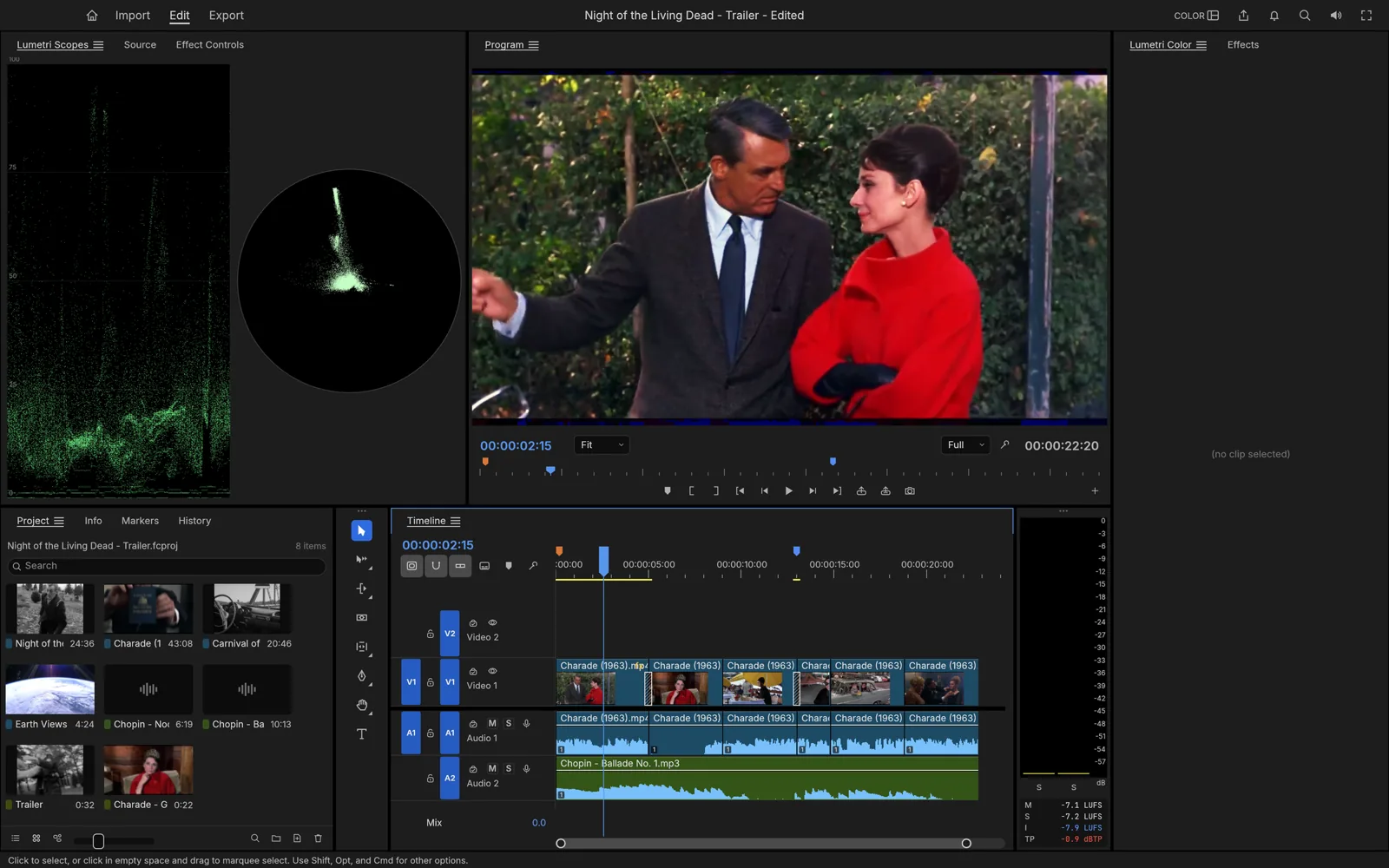
Color grading with scopes
Curves, color wheels, HSL secondaries, LUTs, HDR and log workflows. Waveform and vectorscope sit next to the image while you grade.
Timeline editing
Source and program monitors, three-point editing, ripple, roll, slip and slide trims, and J-K-L dynamic trimming while the footage plays.
29.97 DF
Frame-exact time
An integer timebase keeps 23.976 and 29.97 drop-frame exact, so long timelines never drift out of sync.
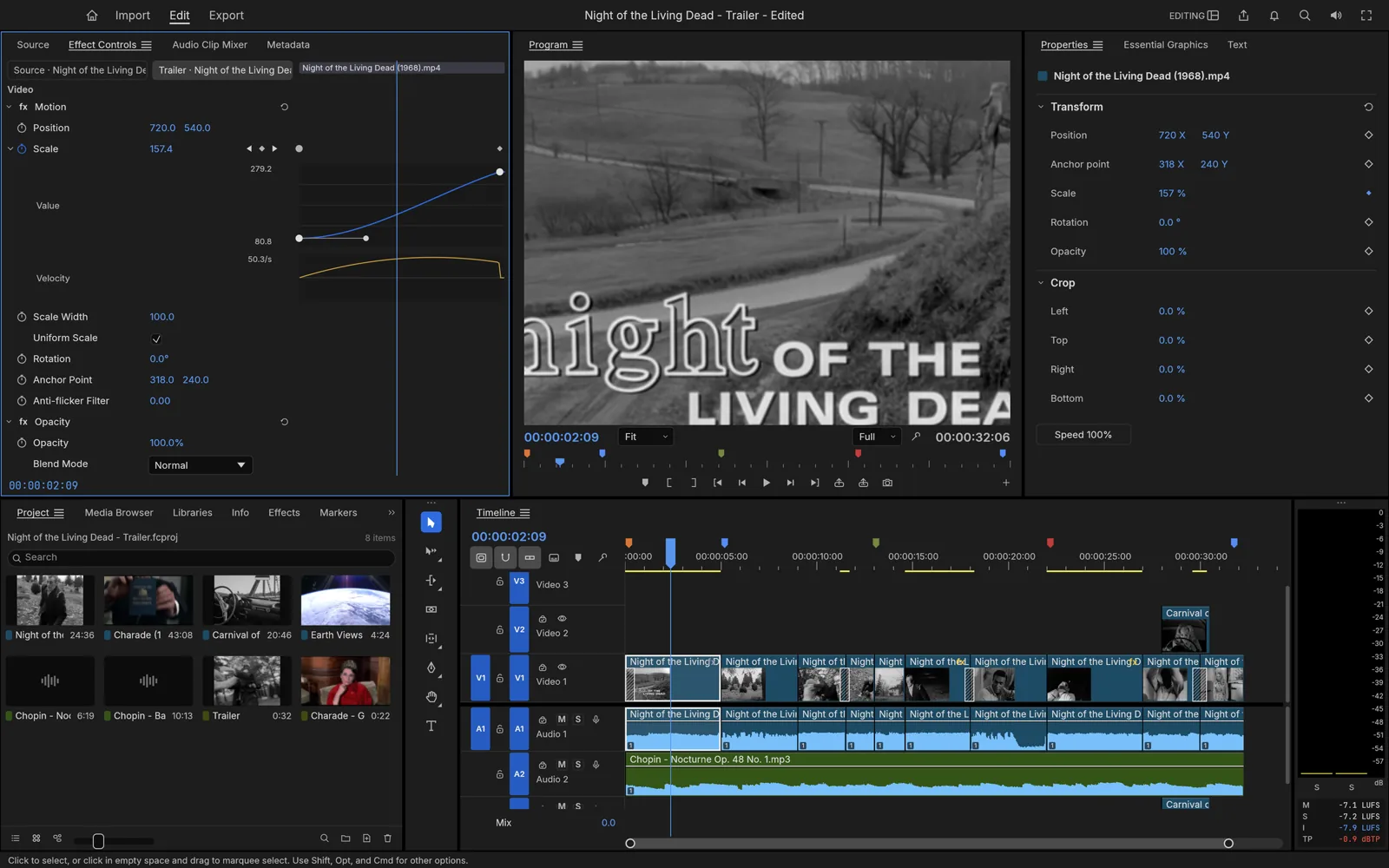
Effects and keyframes
Over 90 video effects, about 30 transitions and keyframes with value and velocity graphs, composited on the GPU.
Native codecs
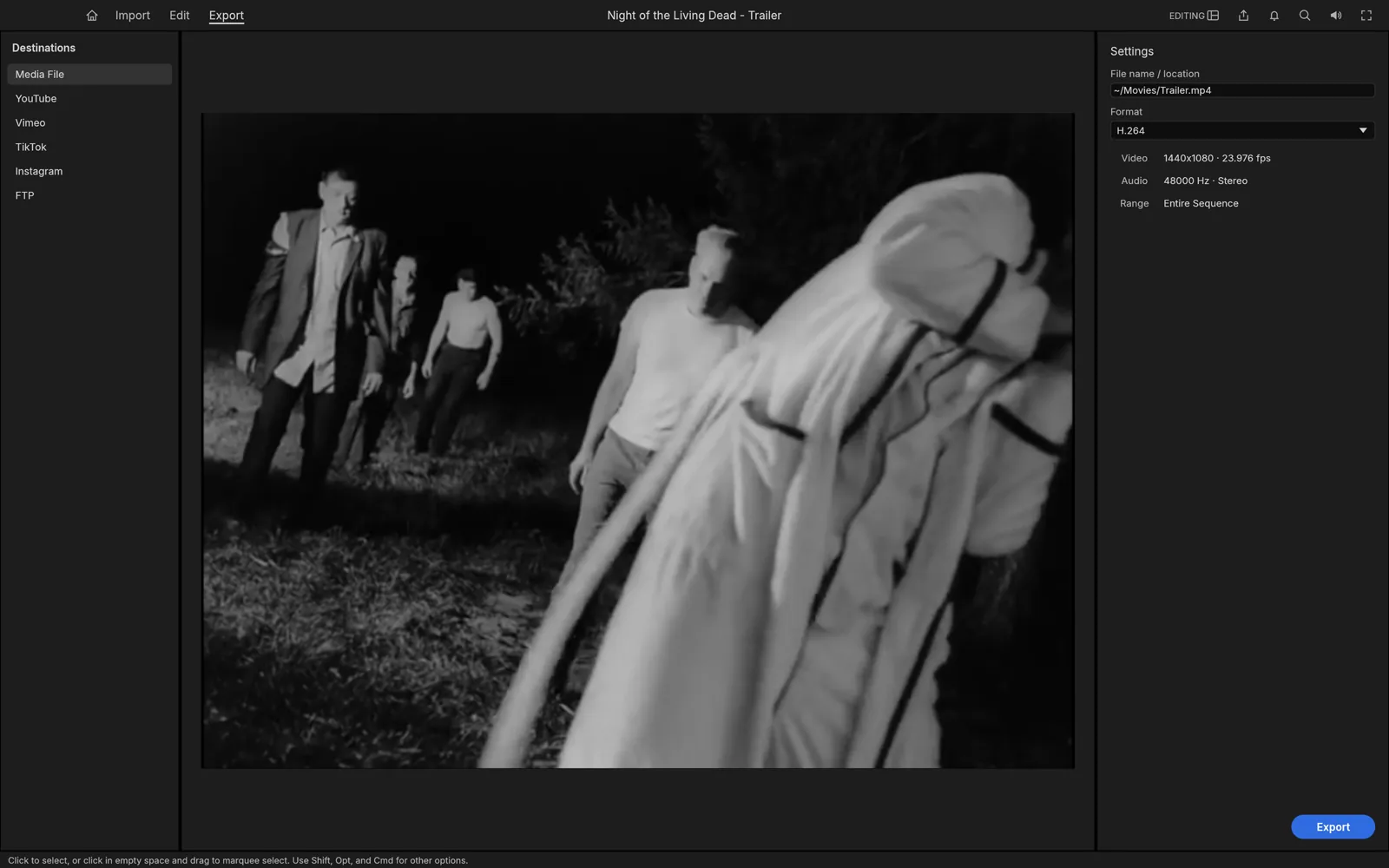
H.264, HEVC, ProRes, VP9, AV1, AAC and Opus decoders written in Rust. Export to H.264 MP4, ProRes 422 HQ, PNG sequences or GIF.
Broadcast audio
EBU R128 loudness meters, a clip mixer with automation and native DSP effects for dialogue and music.
FilmCraft review: strengths and limits
A practical overview of the documented editing workflow, strengths and limits to consider before trying FilmCraft.
Strengths
- Costs nothing. No account, watermark or export limit.
- Premiere-style panels and shortcuts make switching fast.
- Frame-exact timebase and native codecs, including ProRes export.
- Real color tools: curves, wheels, HSL secondaries, LUTs and scopes.
- Every action can be scripted through a CLI, a JSON channel or an MCP server.
Limits
- Still alpha. The team rates it about 56% ready for production work.
- No .prproj import yet. Move projects over with XML, AAF or EDL.
- No support for third-party plugins.
- Very large footage can feel slow, because color grading and export rendering still run on the CPU.
- Less tested on Windows and Linux than on macOS.
FilmCraft is worth exploring for learning, personal projects and a familiar editing workflow without a software subscription. Test your media and export requirements before relying on it for client work.
ArtCraft FilmCraft and the Crafting Apps
FilmCraft is one app in ArtCraft, a growing suite of free, open-source alternatives to professional creative software. Each Crafting App targets a familiar tool: PhotoCraft for photo editing, VectorCraft for illustration, PdfCraft for documents and FilmCraft for video. EffectCraft, LightCraft, SoundCraft and DeckCraft round out the family.
The easiest way to install them is the ArtCraft Launcher, a small desktop app that downloads FilmCraft and the other Crafting Apps and keeps them up to date. You can also download FilmCraft on its own from the official GitHub releases, which is where every link in our download guide points.
- PhotoCraftPhoto editing
- VectorCraftIllustration
- PdfCraftDocuments
- FilmCraftVideo editing
Download the FilmCraft video editor for every platform
How does FilmCraft compare with Adobe Premiere Pro?
- Price
FilmCraft
Free forever
Adobe Premiere Pro
From US$22.99/mo (annual plan, first year)
- License
FilmCraft
Open source (MIT / Apache-2.0)
Adobe Premiere Pro
Proprietary subscription
- Desktop platforms
FilmCraft
macOS, Windows, Linux, FreeBSD
Adobe Premiere Pro
macOS, Windows
- Runs in a browser
FilmCraft
Yes (WebAssembly)
Adobe Premiere Pro
No
- AI features
FilmCraft
Few so far (optional speech-to-text); scriptable via CLI / MCP
Adobe Premiere Pro
Generative Extend, Object Mask, text-based editing, Enhance Speech
- Maturity
FilmCraft
Alpha (~56% production-ready, self-reported)
Adobe Premiere Pro
Industry standard since 2003
| Feature | FilmCraft | Adobe Premiere Pro |
|---|---|---|
| Price | Free forever | From US$22.99/mo (annual plan, first year) |
| License | Open source (MIT / Apache-2.0) | Proprietary subscription |
| Desktop platforms | macOS, Windows, Linux, FreeBSD | macOS, Windows |
| Runs in a browser | Yes (WebAssembly) | No |
| AI features | Few so far (optional speech-to-text); scriptable via CLI / MCP | Generative Extend, Object Mask, text-based editing, Enhance Speech |
| Maturity | Alpha (~56% production-ready, self-reported) | Industry standard since 2003 |
Choose your next step
- Download guideOfficial download links and English installation steps for macOS, Windows and Linux.
- Use onlineFind browser access options, launch an available hosted editor or set up the web build yourself.
- Basic tutorialLearn to import clips, arrange a timeline, trim, add sound and export your first video.
- FilmCraft vs Premiere ProCompare cost, workflow, platforms, strengths and limitations with Adobe Premiere Pro.
FilmCraft FAQ
Is the FilmCraft video editor really free?
Yes. FilmCraft is free for every platform and open source under MIT or Apache-2.0. There is no subscription, watermark or trial limit.
Is FilmCraft safe and legit?
Use the official ArtCraft website or the FilmCraft GitHub releases linked in our download guide. Check the published checksums when available, review release notes and back up your projects before trying a new build. GetFilmCraft is an independent guide, not the software publisher.
Is FilmCraft made by Adobe?
No. FilmCraft is an independent, clean-room project from the ArtCraft team. It borrows the familiar Premiere-style workflow, not Adobe's code, and has no affiliation with Adobe.
Where is the FilmCraft GitHub repository?
The source lives at github.com/storytold/filmcraft. Releases, issue tracking and the full README with supported formats and shortcuts are all there.
Where can I try FilmCraft online?
Visit our Use Online page for browser requirements and access options. A launch button appears when a hosted editor is configured. Otherwise, follow the web-build setup steps or use the desktop download guide.
Can it open my Premiere Pro projects?
Not directly, because there is no .prproj import yet. Export an FCP 7 XML, AAF or EDL from Premiere and import that into FilmCraft instead.
Does FilmCraft have AI features?
Only a few so far. Speech to text is optional and off by default. Every editing action is also exposed as a command, so you can drive FilmCraft from scripts or connect AI agents through its MCP server.
Which systems does it run on?
macOS (Universal: Apple silicon and Intel), Windows 10/11 (x64, ARM64, x86), Linux (x86_64 and ARM64 via AppImage, Flatpak, .deb, .rpm or Arch packages, plus RISC-V), FreeBSD and the browser.
Ready for your first FilmCraft edit?
Download the FilmCraft video editor for free, try it online or follow the beginner tutorial.